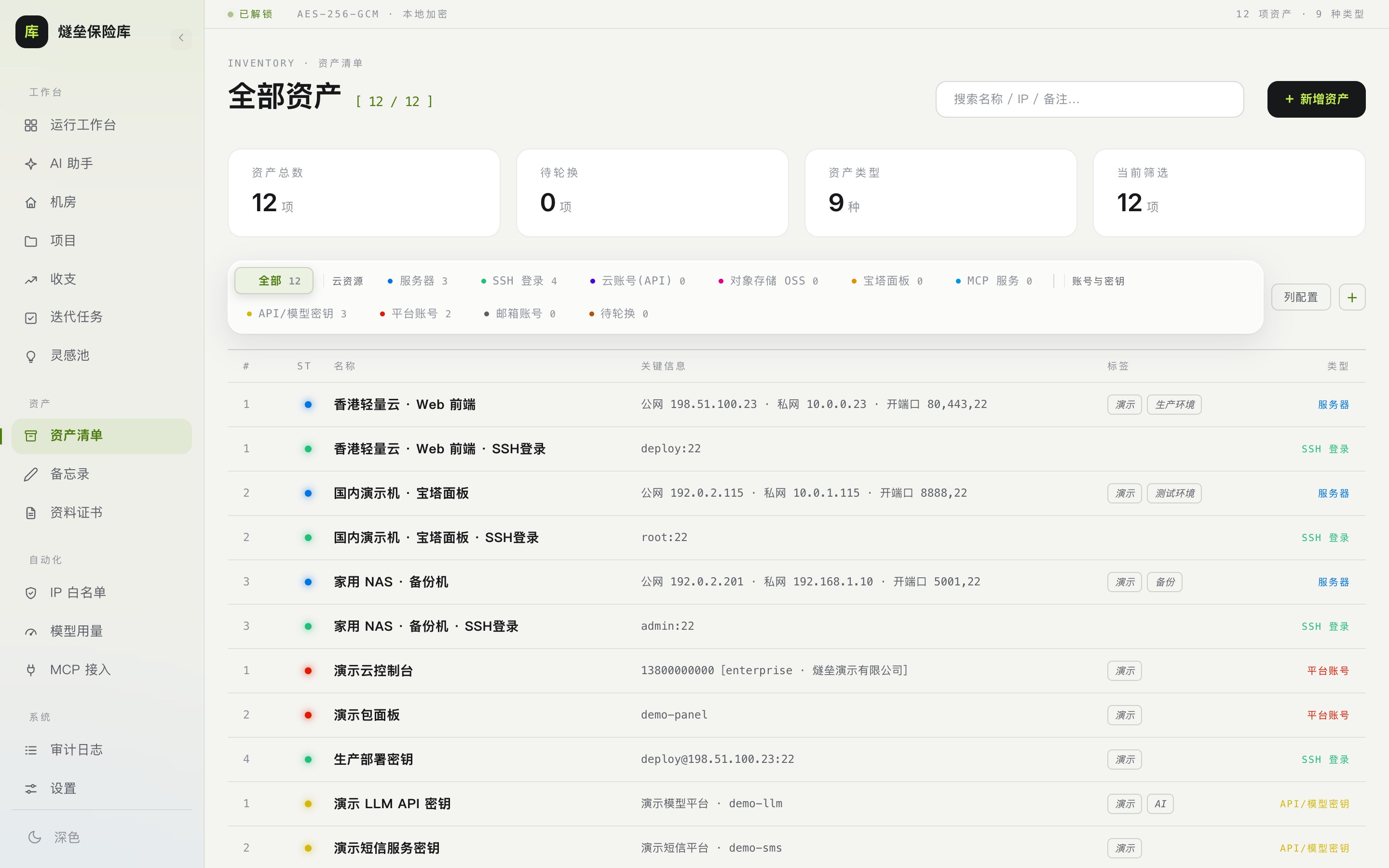
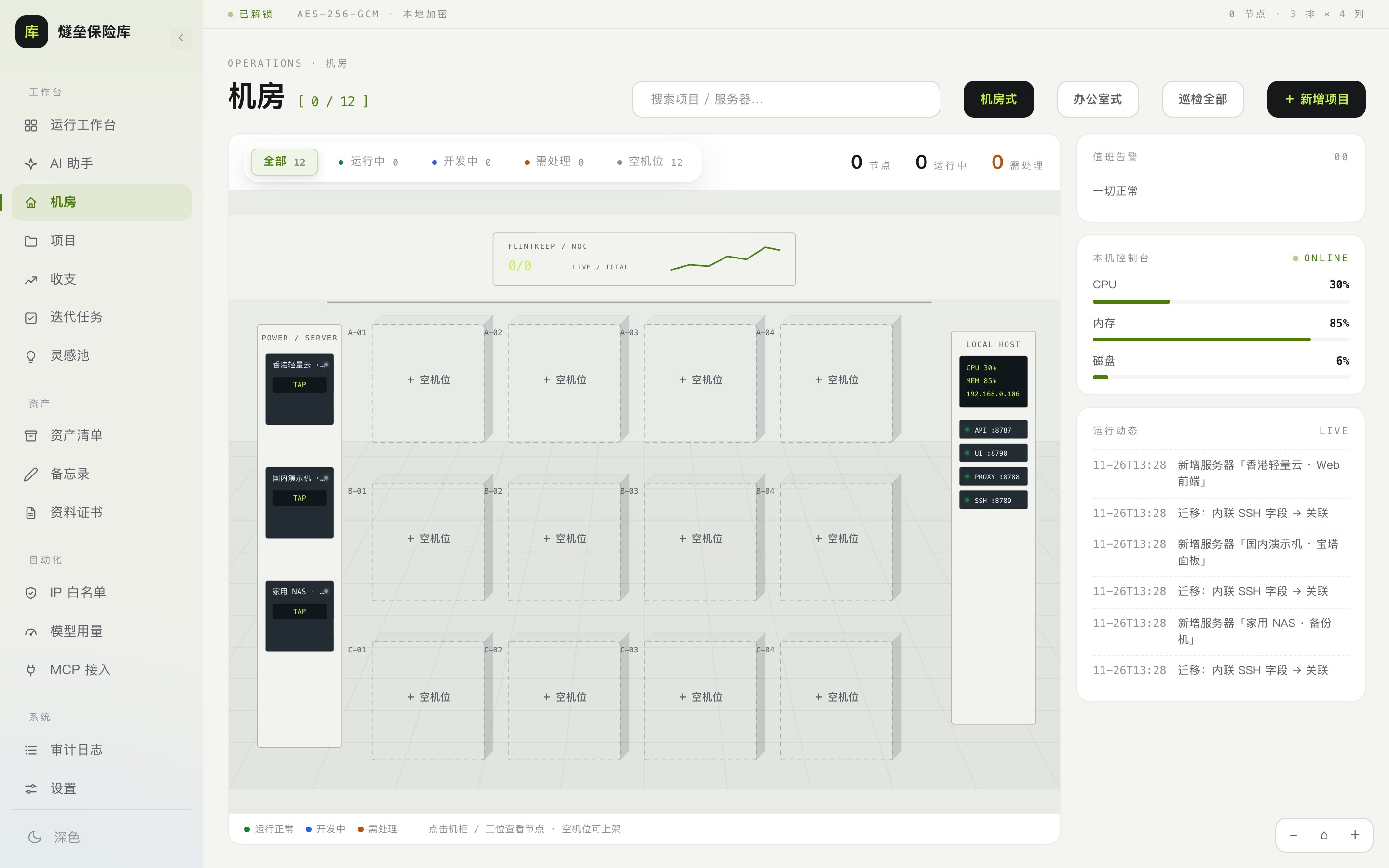
FlintKeep is a local-first vault for credentials and assets: servers, platform accounts, API keys and project files — all encrypted on your own machine with AES-256-GCM. An AI assistant helps you use them, but the data never leaves the device.
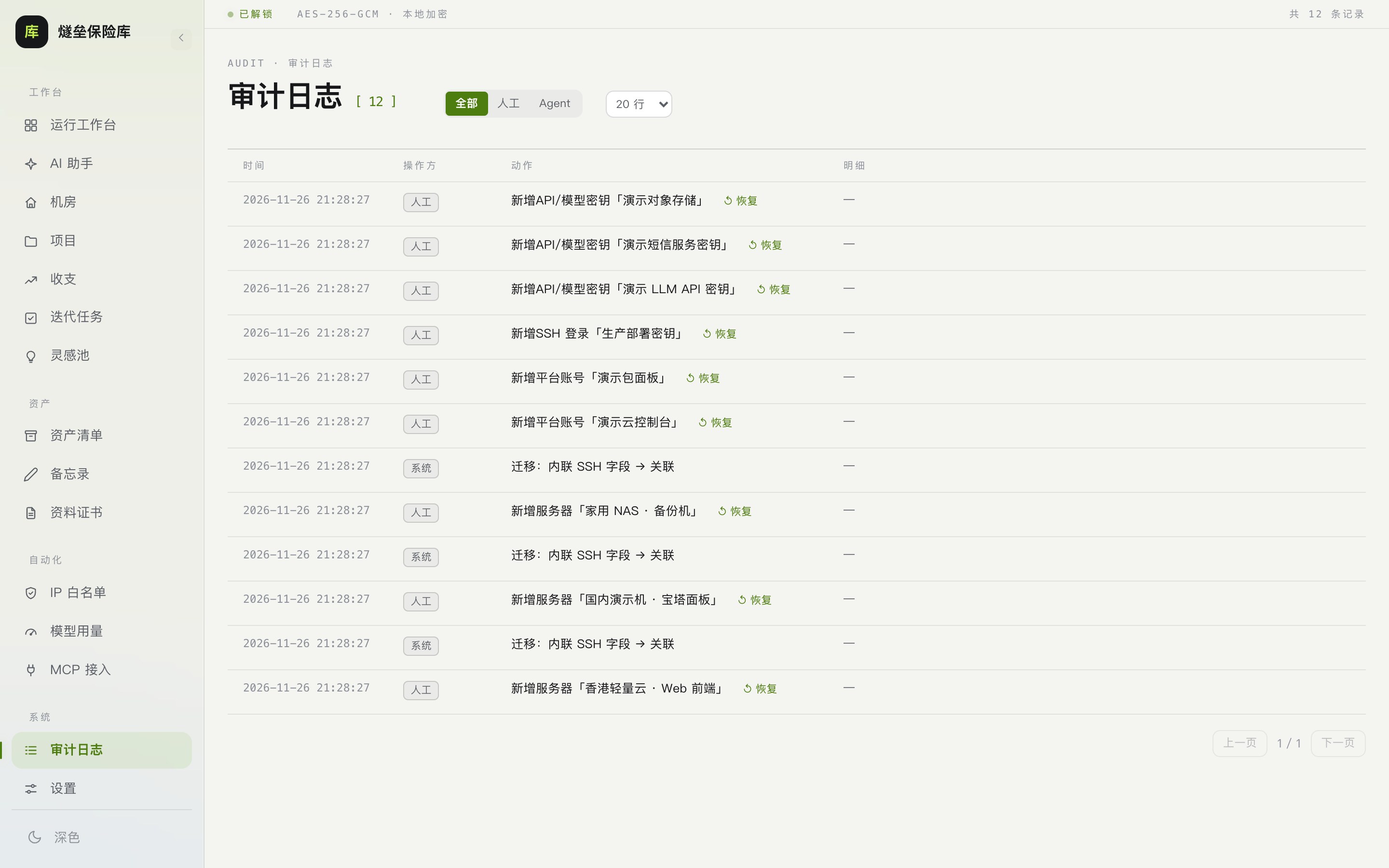
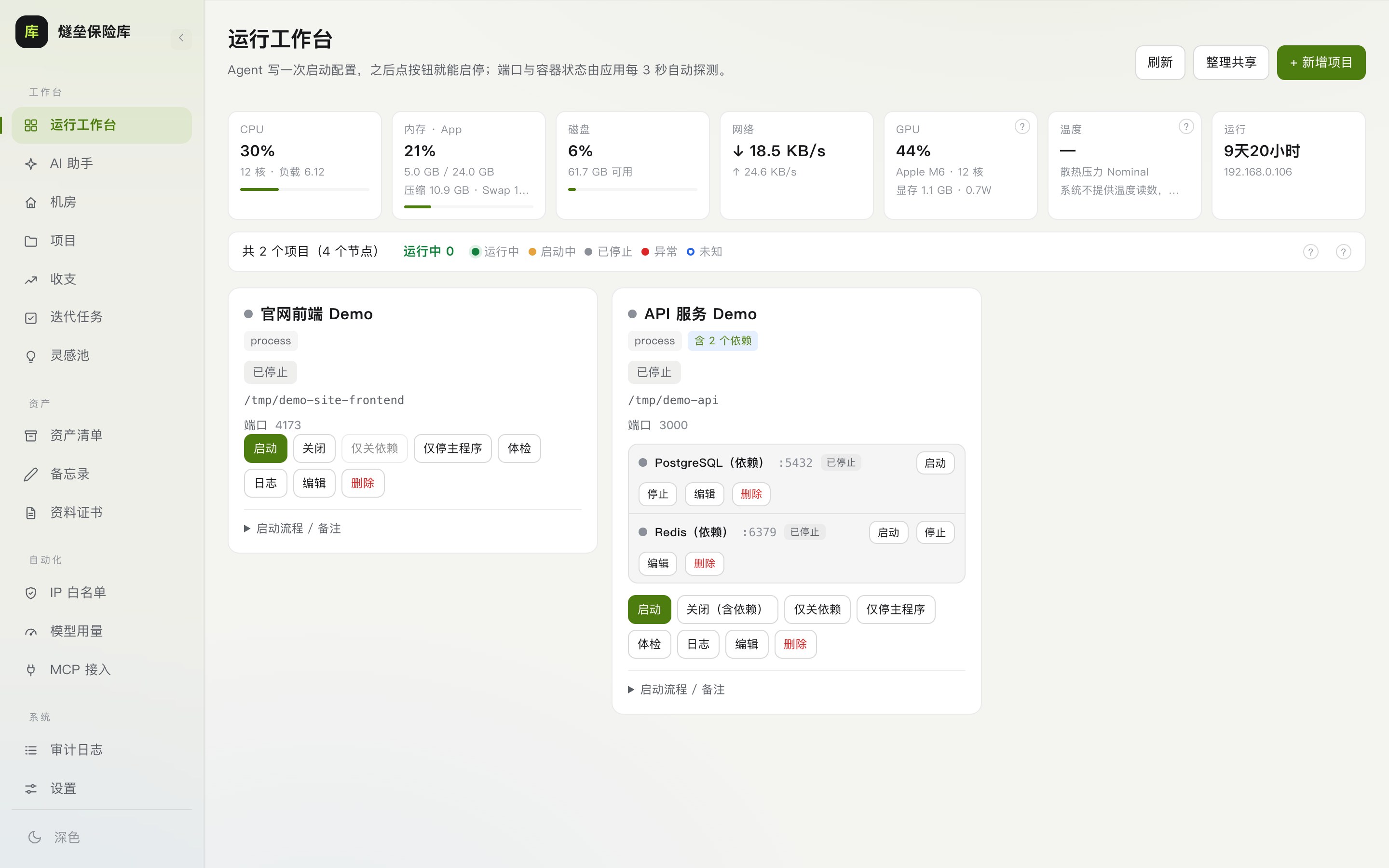
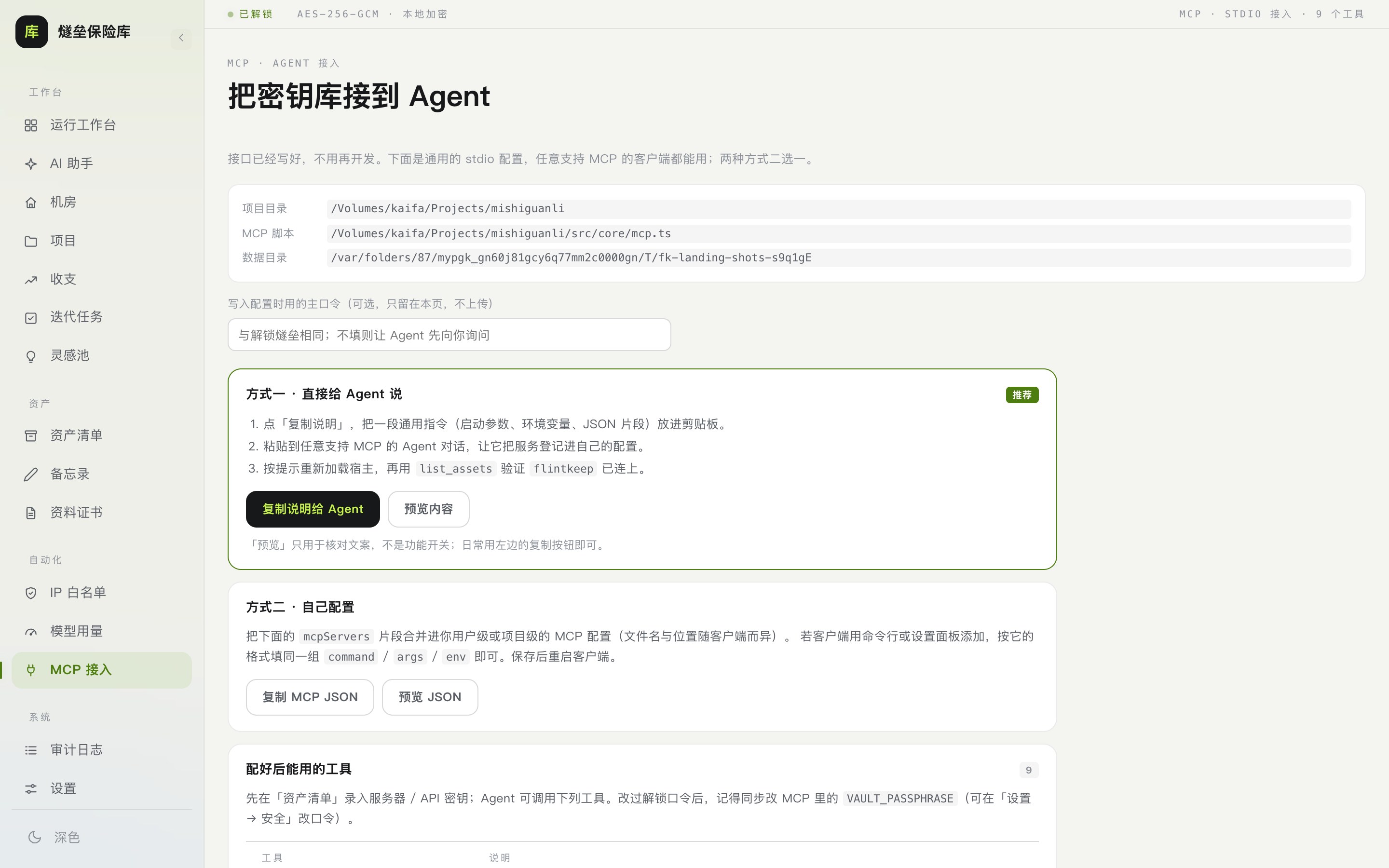
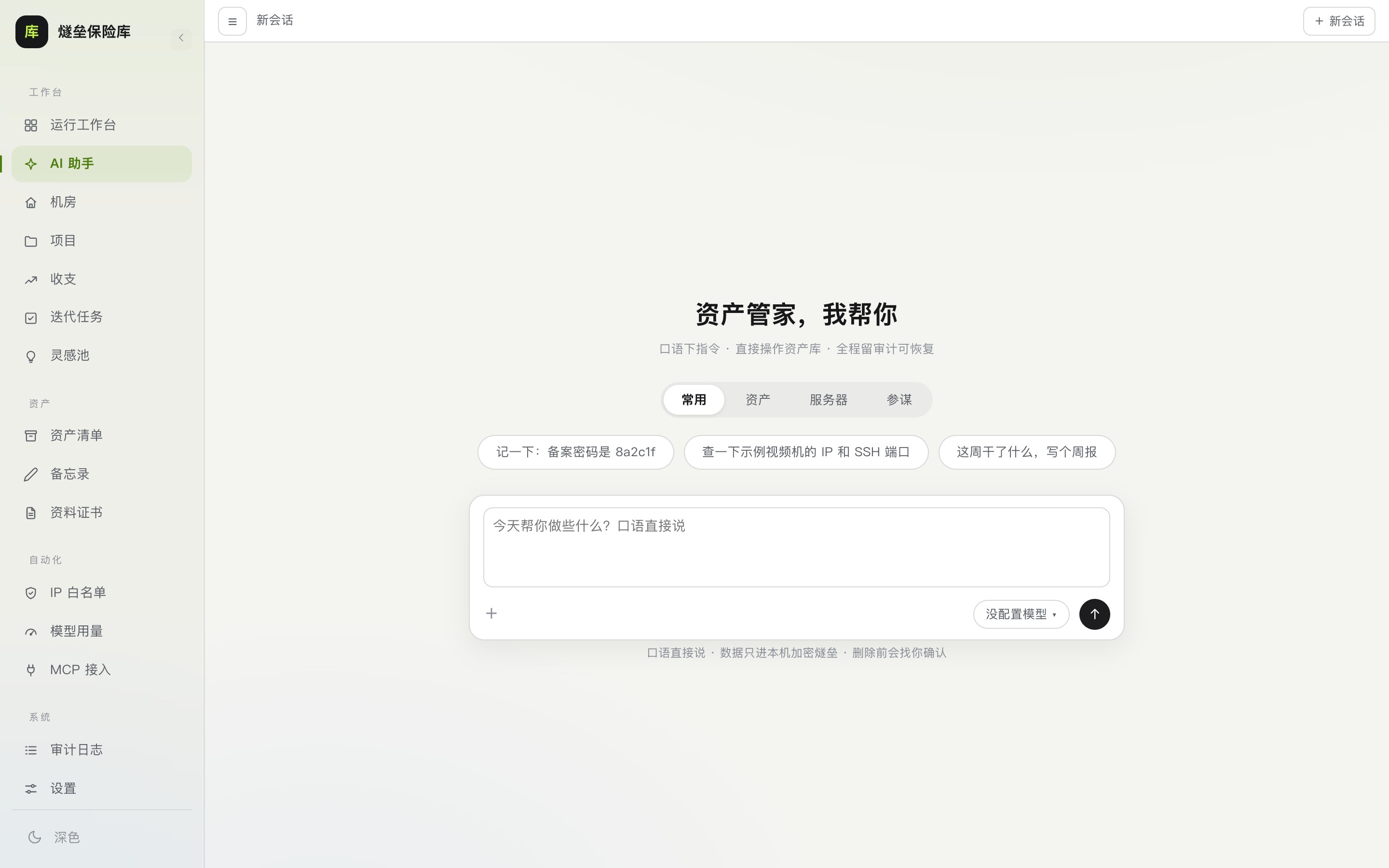
The real interface, running on demo data. Six of the everyday screens.
01 / 06
Click the centre shot to enlarge · ← → to browse · hover to pause autoplay
Credentials, assets, project files, an AI assistant and a run workbench — one vault for all of it, entirely on your device.
The whole vault is written to your local disk as AES-256-GCM ciphertext. Locked, it's
unreadable; lose a backup file and whoever finds it gets ciphertext, nothing else.
A built-in AI assistant speaks MCP: ask for "the login key of server #7" and it's on your
screen. Agents can register assets, check ports and run inspections.
Register how each local project starts, its dependencies and ports. One click to start and stop — dependencies are torn down with it, containers leave nothing behind.
Who touched which asset and when, every agent operation — the audit log keeps it all. Sensitive fields reveal on demand and hide again.
Three principles baked into the design — not just written in the PR copy.
Encryption and decryption happen on your device. There is no "cloud sync copy" and no server that could see your plaintext — because your data simply isn't there.
AGPL-3.0, fully public code. Don't take our word for it — build it yourself, or just read the source.
Agents access through allowlists, sensitive fields reveal on demand and re-hide afterwards, and every step lands in the audit log.
One encrypted core, three ways in: the desktop UI, the MCP server your agent talks to, and a local proxy that injects the real secret. Nothing above the core ever holds a plaintext key.
The UI, the CLI and the MCP server all call src/core. Fix a rule once — allowlists, redaction, audit — and it applies everywhere. There is no second implementation to drift.
Model B hands the agent a short-lived token plus a local proxy address. The real credential is injected server-side and the token dies after use. HTTP, cloud signing and SSH follow the same rule.
The master key is derived from your passphrase with PBKDF2 (210k rounds); the keystore keeps only salt and a verifier. Lock the app and decryption stops — plaintext never reaches the disk.
| FlintKeep | 1Password / Bitwarden | Infisical / Vault | |
|---|---|---|---|
| Encrypted vault stays on your device | ✓ | cloud sync | server-side |
| Agent fetches credentials over MCP | ✓ | no | CLI / SDK |
| Real secret never enters agent context | ✓ | no | partial |
| Cloud request signing (SigV4 / Aliyun / Tencent) | ✓ | no | no |
| Local SSH bastion with token login | ✓ | no | no |
1Password™ is a trademark of AgileBits Inc.; Bitwarden, Infisical and HashiCorp Vault belong to their respective owners. FlintKeep is not affiliated with them — this table only compares features.
Layout placeholders — replace with real quotes before launch.
FlintKeep is an AGPL-3.0 open-source project. Issues, patches and translations are all welcome.
Tell us what the vault should do that it does not, or what broke. Repro steps beat screenshots.
GitHub Issues ↗The i18n files, this landing page and the injection adapters are the easiest places to start.
Found a hole? Ping the maintainer privately first — do not paste exploit details into a public issue.
License: AGPL-3.0-only. Fork it, run it, change it; if you offer a modified version as a service, publish your changes. The name and logo are not covered by the license.
Free and open source. Grab an installer from GitHub Releases — or build it yourself from the source.
Usage questions, feature requests, a bug you want fixed — scan the code and say hi. If you found a vulnerability, tell me privately first.
Personal QR codes expire — if this one has, open an issue on GitHub instead.